Minimalist file manager offering intuitive Material Design navigation and quick access to essential folders
Minimalist file manager offering intuitive Material Design navigation and quick access to essential folders
Vote (- votes)
Program license Free
Developer Aidan Follestad
Version 1.9.8.1
Works under Android
Vote
(- votes)
Developer
Aidan Follestad
Works under
Android
Program license
Free
Version
1.9.8.1
Pros
- Minimalist aesthetic in line with Material Design
- Simple navigation of directory trees
- Efficient execution of basic file operations
- Direct access bar for quick access to basic storage folders
- Thumbnail previews for intuitive file organization
Cons
- Depends on file format or icon availability for thumbnail previews
- Limited to basic file operations
Introduction
Cabinet Beta is a streamlined file management application for Android devices, boasting a minimalist aesthetic that conforms to Google's Material Design principles.
Navigational Simplicity
One of the key features of Cabinet Beta is its emphasis on straightforward navigation. Users can easily browse through the directory trees of their device's internal storage or SD card, ensuring quick access to all stored files. This simple navigation scheme makes Cabinet Beta stand out among other file finder applications, which often have a more complex and less user-friendly interface.
File Operations
In addition to its navigational prowess, Cabinet Beta excels in performing basic file operations. By accessing the root file menu, users can delete, copy, move, and rename files with just a few taps. The application also allows users to compress files for more efficient storage, share files with other apps, and open files with any compatible program. These features make Cabinet Beta a versatile tool for managing any type of file on an Android device.
Direct Access Bar
Cabinet Beta further enhances user convenience with its direct access bar, which provides links to basic storage folders such as image galleries, music, and downloads. This feature allows users to quickly access their most frequently used files, reducing the time spent searching for specific items.
Thumbnail Previews
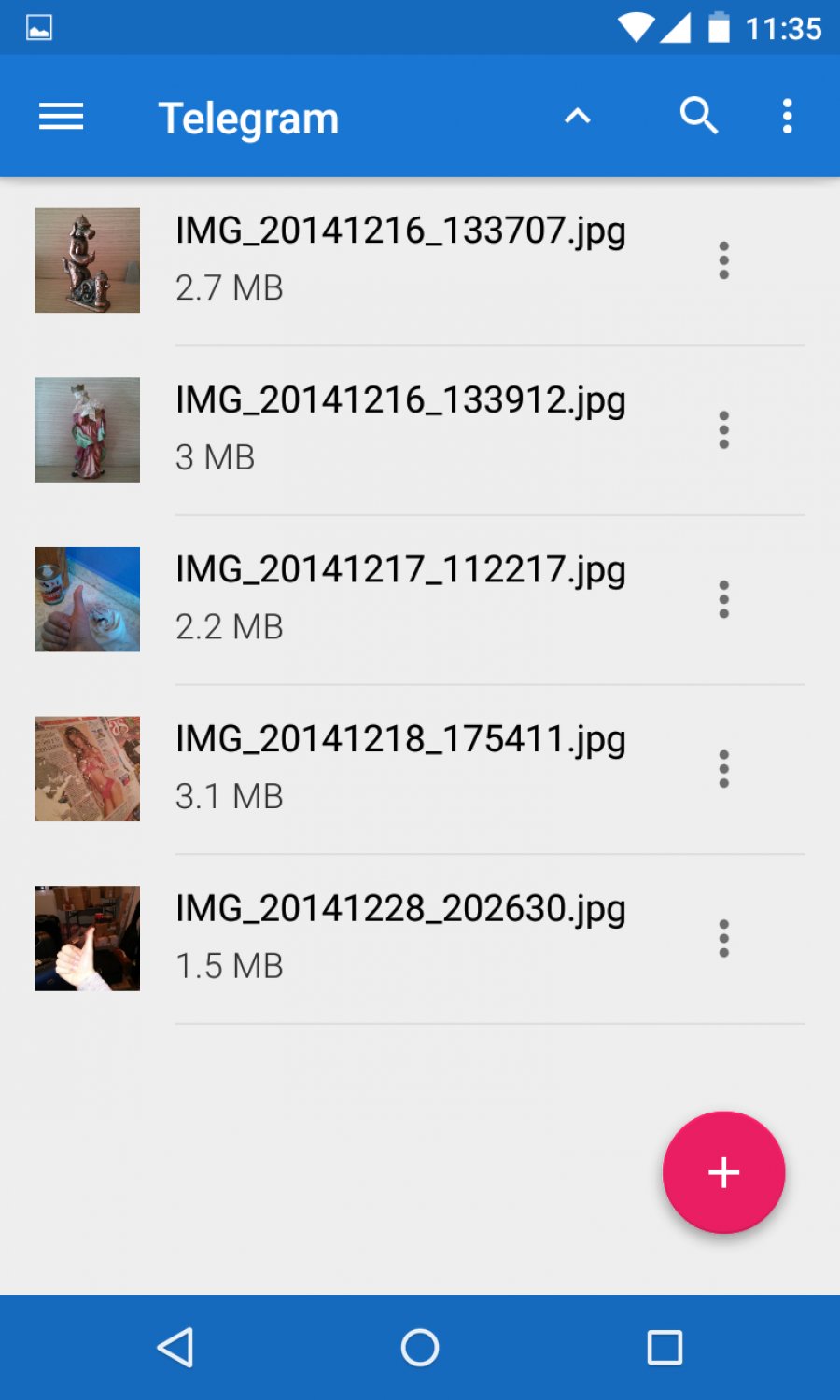
Another unique feature of Cabinet Beta is its thumbnail preview capability. Unlike many file management apps that only provide a text description of files, Cabinet Beta displays a thumbnail image for each file, provided the format or icon is available. This visual representation enables users to organize their files more intuitively, leading to improved file management efficiency.
Conclusion
In conclusion, Cabinet Beta stands out as a file management application with its minimalist design, simple navigation, and efficient file operation capabilities. Its additional features, including the direct access bar and thumbnail previews, further enhance its user-friendliness and functionality.
Pros
- Minimalist aesthetic in line with Material Design
- Simple navigation of directory trees
- Efficient execution of basic file operations
- Direct access bar for quick access to basic storage folders
- Thumbnail previews for intuitive file organization
Cons
- Depends on file format or icon availability for thumbnail previews
- Limited to basic file operations